
Desktop GUI
$ thclaws
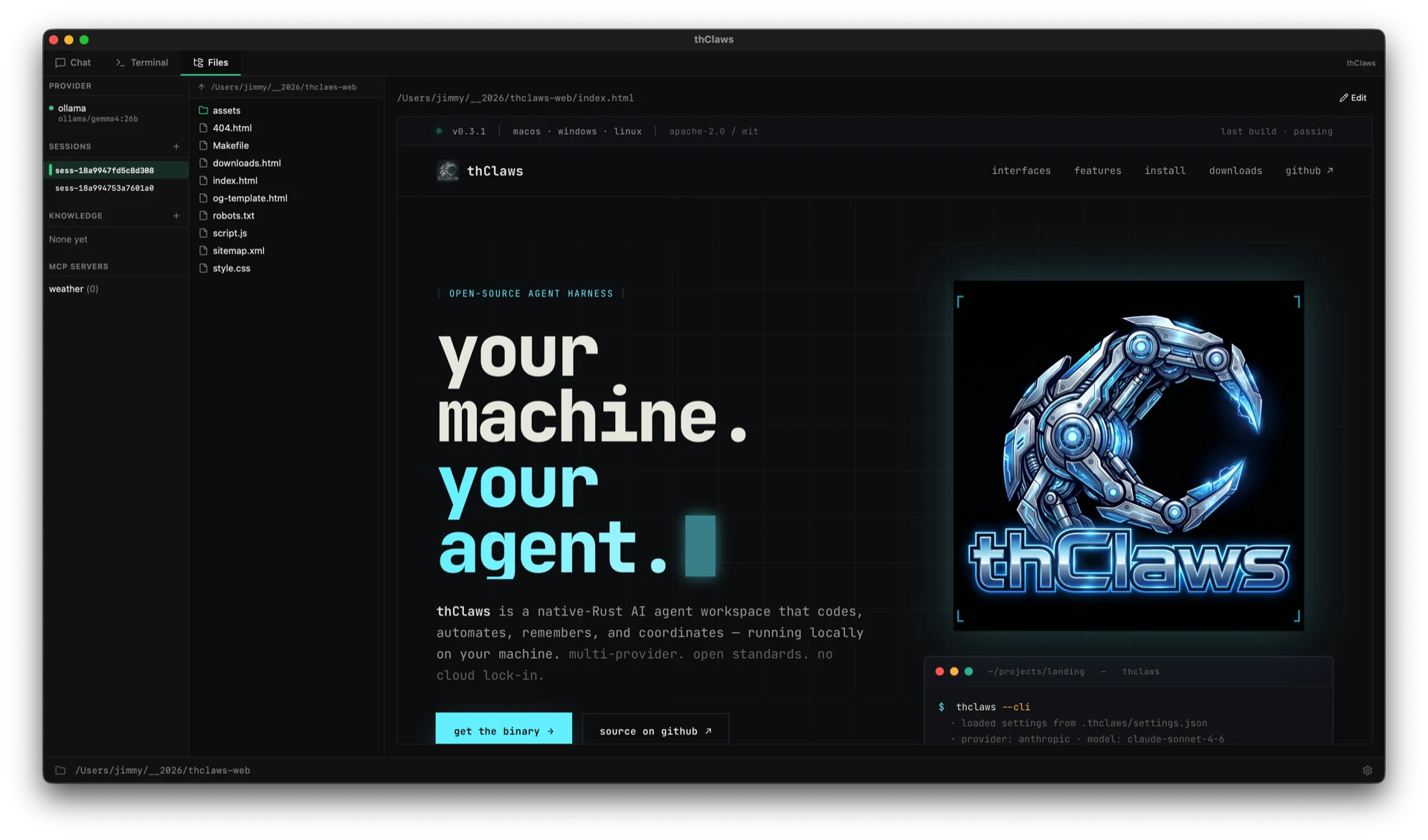
Native window. Terminal, Chat, Files, and optional Team tabs. Theme-aware (light / dark / system).
thClaws is a native-Rust AI agent workspace that codes, automates, remembers, and coordinates — running locally on your machine. multi-provider. open standards. no cloud lock-in.
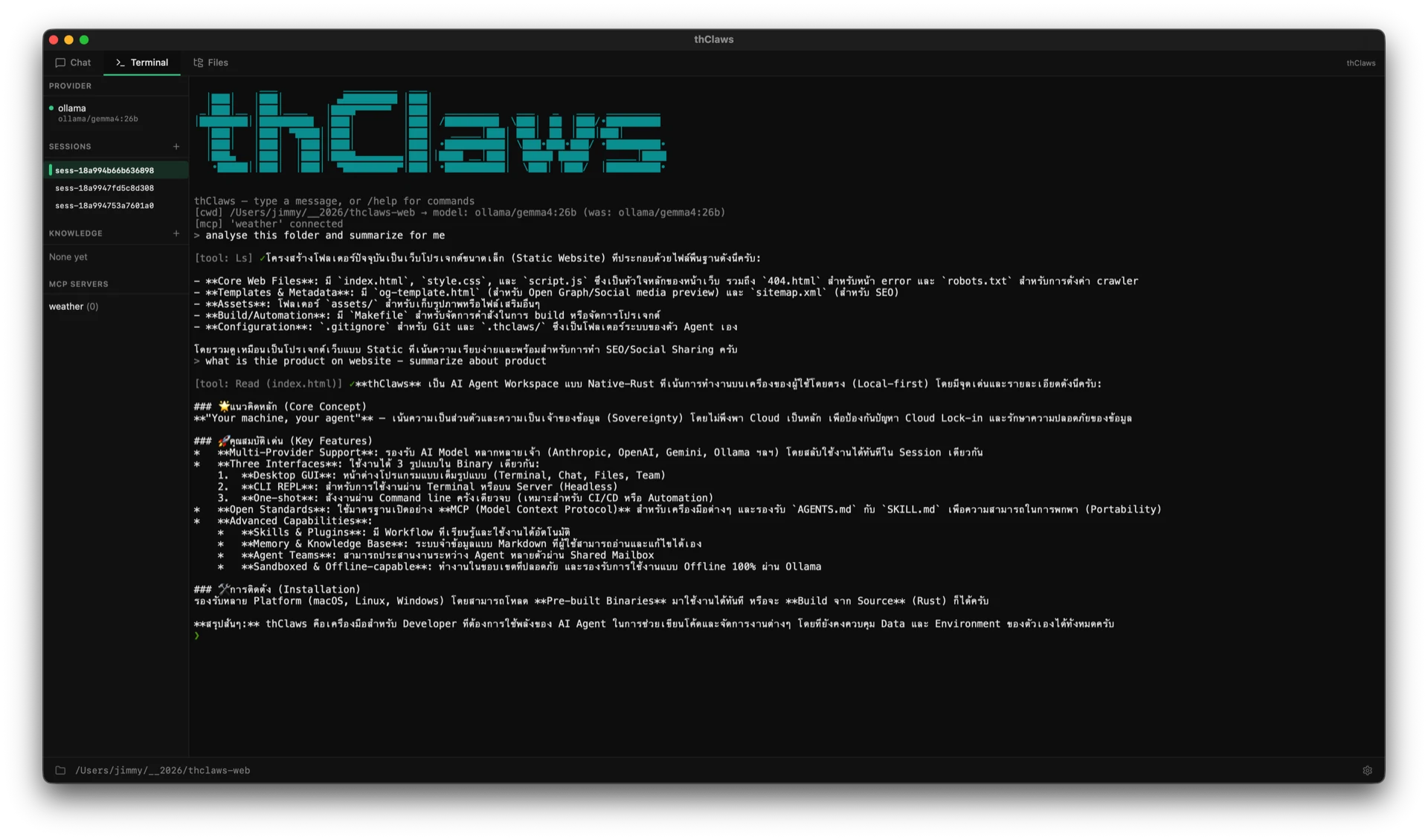
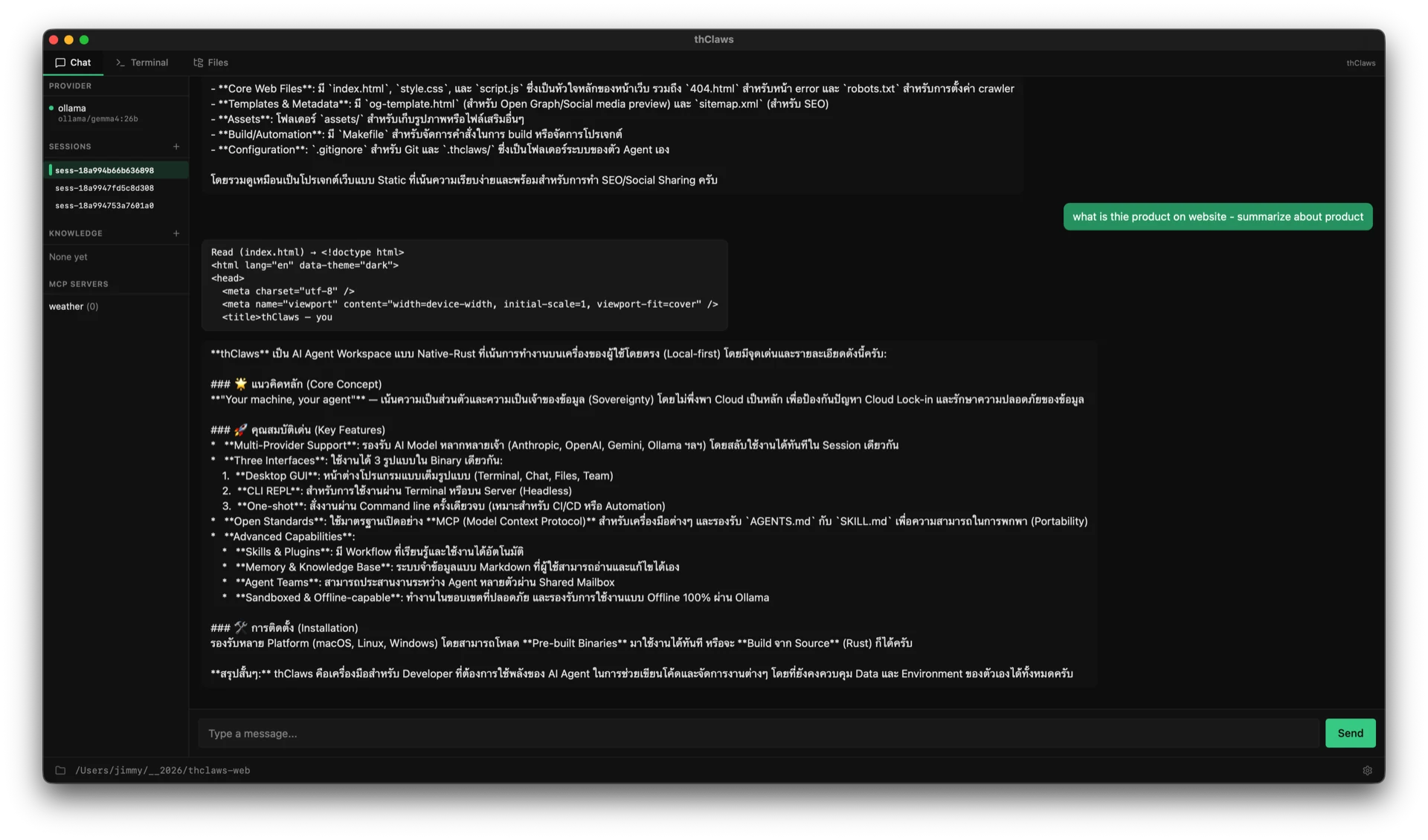
Three tabs. One binary. Captured live from a session of thClaws looking at this very site.
The same engine, the same sessions, the same config —
dressed for whichever surface you prefer. Switch freely; your
history follows you. Add a fourth via thclaws --serve
when you need WebSocket access from a tunneled remote machine.
$ thclaws
Native window. Terminal, Chat, Files, and optional Team tabs. Theme-aware (light / dark / system).
$ thclaws --cli
Interactive prompt for SSH, headless servers, or zero-GUI sessions. Every slash command works identically.
$ thclaws -p «…»
Single turn, then exits. Compose with other tools, drop into CI pipelines, or fire from a shell one-liner.
Not a chat wrapper. A full agent harness with the surface area to actually get work done — and the boundaries to do it safely.
Anthropic, OpenAI, Gemini, Alibaba DashScope, OpenRouter, Ollama, Agentic Press — auto-detected by model name.
MCP for tools. AGENTS.md for project instructions. SKILL.md for packaged workflows. Portable.
Reusable expert workflows the agent picks up automatically when a request matches the trigger.
Plug in third-party tools — GitHub, filesystems, databases, browsers, Slack — over stdio or HTTP.
Skills + commands + agent definitions + MCP servers bundled under a single manifest. One install, one version.
Persistent store classified as user / feedback / project / reference — stored as markdown you can read and edit.
Per-project and per-user wikis the agent reads on demand. Grep + read — no embeddings to manage. /dream consolidates them.
Orchestrate multiple thClaws processes through a shared mailbox. Lead and teammates coordinate via task queue and git worktrees.
Filesystem sandbox scopes file tools to the working directory. Destructive shell commands are flagged before exec.
Run entirely against a local Ollama model — no cloud round-trip, no API key, no network.
Every knob in .thclaws/settings.json. API keys go in the OS keychain by default; .env fallback for CI.
Prefix any line with ! to run a shell command directly — no tokens, no approval, no agent round-trip.
/agent translator … spawns a specialist concurrent with main. Independent cancel, separate UI bubble, never enters main's history.
/dream mines the 10 latest sessions, dedupes pages, surfaces new insights, and writes a dated audit-trail page. Review with git diff.
Multi-step work runs sequentially with audit-reviewable steps. Per-step retry budget, Approve / Cancel / Skip / Retry from the sidebar.
Cron, fixed intervals, or filesystem-watch triggers. Native daemon (launchd / systemd-user) survives reboots. Per-job working directory.
/loop for fixed-interval iteration. /goal --auto works toward a goal until an audit prompt confirms done — the Ralph-style overnight builder.
Native PDF, DOCX, PPTX, XLSX read · edit · create. Ingest a 50-page PDF into KMS and produce a deck back — one conversation, no glue.
Shell scripts on 8 lifecycle events for audit + gating. thclaws --serve exposes the same engine over WebSocket for SSH-tunneled remote access.
Multi-arch thclaws/thclaws on Docker Hub (linux/amd64 + linux/arm64). One container per project, mount ./ at /workspace, --serve on port 8443. Strict-environment friendly — no host-side Rust/Node toolchain required.
Pre-built binaries for six targets plus an official Docker image. Or build from source if that's more your speed.
# Recommended — universal .dmg (Apple Silicon + Intel in one file)
curl -L -o thclaws.dmg https://github.com/thClaws/thClaws/releases/latest/download/thclaws-v0.45.0-universal-apple-darwin.dmg
open thclaws.dmg # drag thClaws into Applications
# Or tarball (headless / SSH boxes)
# Apple Silicon:
curl -L https://github.com/thClaws/thClaws/releases/latest/download/thclaws-v0.45.0-aarch64-apple-darwin.tar.gz \
| tar -xz && sudo mv thclaws /usr/local/bin/
# Intel:
curl -L https://github.com/thClaws/thClaws/releases/latest/download/thclaws-v0.45.0-x86_64-apple-darwin.tar.gz \
| tar -xz && sudo mv thclaws /usr/local/bin/
# x86_64
curl -L https://github.com/thClaws/thClaws/releases/latest/download/thclaws-v0.45.0-x86_64-unknown-linux-gnu.tar.gz \
| tar -xz && sudo mv thclaws /usr/local/bin/
# aarch64
curl -L https://github.com/thClaws/thClaws/releases/latest/download/thclaws-v0.45.0-aarch64-unknown-linux-gnu.tar.gz \
| tar -xz && sudo mv thclaws /usr/local/bin/
# Recommended — .msi installer (per-user, no admin, sets PATH automatically)
# x86_64 (typical Intel/AMD Windows):
iwr -Uri https://github.com/thClaws/thClaws/releases/latest/download/thclaws-v0.45.0-x86_64-pc-windows-msvc.msi -OutFile thclaws.msi
Start-Process msiexec.exe -ArgumentList '/i', 'thclaws.msi' -Wait
# Windows on ARM (Surface Pro X, Snapdragon X laptops):
iwr -Uri https://github.com/thClaws/thClaws/releases/latest/download/thclaws-v0.45.0-aarch64-pc-windows-msvc.msi -OutFile thclaws.msi
Start-Process msiexec.exe -ArgumentList '/i', 'thclaws.msi' -Wait
# Or ZIP (portable / policy-blocked-MSI scenarios)
iwr -Uri https://github.com/thClaws/thClaws/releases/latest/download/thclaws-v0.45.0-x86_64-pc-windows-msvc.zip -OutFile thclaws.zip
Expand-Archive thclaws.zip -DestinationPath $env:LOCALAPPDATA\Programs\thclaws
# Pull the multi-arch image (linux/amd64 + linux/arm64)
docker pull thclaws/thclaws:latest
# cd into your project, then run --serve on http://localhost:8443
docker run --rm -it \
-v "$(pwd)":/workspace \
-p 127.0.0.1:8443:8443 \
thclaws/thclaws:latest
# Pinned-version deploy (recommended for production)
docker pull thclaws/thclaws:0.9.9
# prereqs: rust 1.78+ · node 20+ · pnpm 9+
git clone https://github.com/thClaws/thClaws.git
cd thClaws/frontend && pnpm install && pnpm build && cd ..
cargo build --release --features gui --bin thclaws
./crates/core/target/release/thclaws # GUI
./crates/core/target/release/thclaws --cli # REPL
./crates/core/target/release/thclaws -p "…" # one-shot
Browse all assets & SHA-256 sidecars on the downloads page or the github releases tab.
Your code, your prompts, your conversations stay on your machine. Files in your filesystem; sessions on your disk; keys in your OS keychain. Cloud is opt-in per request, never the default.
Switch providers mid-session. Run an Anthropic model in the morning, an Ollama model on a flight, an OpenAI model when you need a one-shot. The harness doesn't care; your prompts and skills come with you.
Built on the conventions the agent-tooling industry is
converging on. MCP. AGENTS.md. SKILL.md.
Your config is portable to every harness that speaks the
same standards — and to whatever comes next.
One command. No account. No telemetry phone-home. The binary runs, you tell it what to do.